Bug Fixes on Mobile
The field is the same. The HUD is not. Bring a keyboard or play on PC.
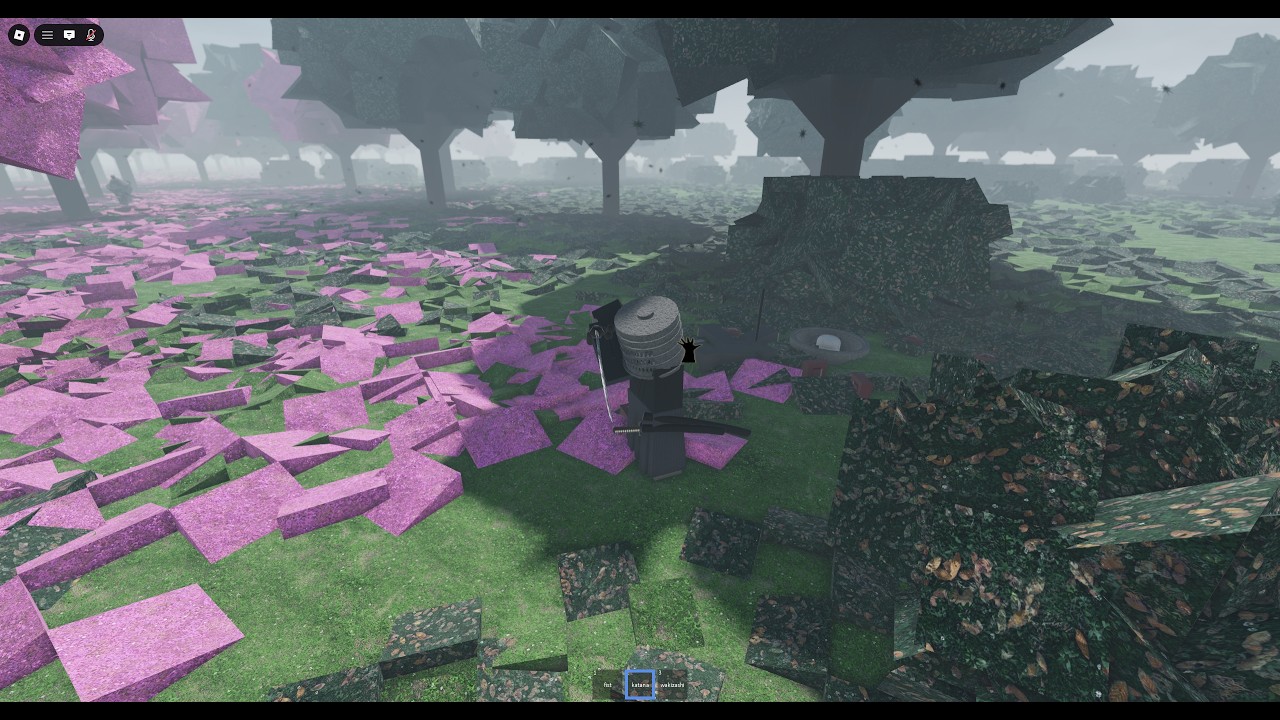
The live Roblox description for Bug Fixes is blunt: no full console or mobile support yet. Mobile and console play is currently intended for people with keyboard attachments. That is not a rumor. It is the contract. This page is the missing mobile guide so you stop treating a blank thumb HUD as a broken character.
Sister pages: getting started for the first hour on PC, controls for the bind card, hats for the = toggle the clip below also shows, and movement for G when your thumbs cannot find it.
The embedded video is a real session on this place: a mobile player hitting a drop hat world prompt while asking in chat how to pray. The grass is the same cherry field. The missing B key is the whole article.
What mobile actually gets today
You still spawn on the lantern field. MorphToR15 still rewrites your catalog body. Other players still bow, pray, and cut. The world prompt for drop hat still appears because it is a world interaction, not a PC-only widget. What you do not get is a finished touch layout that maps X, B, E, Q, F, R, =, and G onto comfortable thumbs.
If your hotbar never offers a clean katana slot, if pray does nothing, or if every tap opens chat, you are inside the platform gap the description already warned about. Rejoining will not invent a mobile kit. A code will not either. There are no promo codes, and the only listed pass is Highborn for a wakizashi, which does not add touch buttons.
Keyboard attachments, the intended workaround
The developer wrote the workaround into the description so we would not have to invent one.
- Use a tablet or phone that accepts a hardware keyboard (Bluetooth or dock).
- Connect the keyboard before you join the experience so Roblox can see KeyboardEnabled.
- Join from the official place, not a copycat lantern game.
- Confirm WASD moves you and that E, Q, and F throw directional cuts. If they type into chat, close chat first.
- Practice X, B, and = in spawn the same way PC players do. Controls is the bible; this page is the warning label.
A mouse is useful but not required if you can still aim the camera. A gamepad without a keyboard is the unsupported case. Do not buy a third-party “mobile UI unlock” from a shop. The public pass list is one donation sword, not a layout pack.
Why the drop-hat clip belongs here
Hats still come off with = on a keyboard. On touch, players often discover the drop hat prompt first because it is written on the field. That prompt is real. It is also how a mobile session looks when the bind card is invisible. The clip asking how to pray is the same problem: B is not on the thumb cluster.
If you can only drop a hat and cannot pray, you are not missing a secret mobile emote. You are missing keys. Pair this page with hats so you do not confuse a world prompt with a shop, and with armor so you know pray is the grind once B exists.
Console is the same sentence
“No full console support” sits in the same paragraph as mobile. A DualSense or Xbox pad will not magically bind directional cuts. If your TV setup has a USB keyboard, you are in the intended workaround. If it does not, play on PC. Joining still puts you on a 50-player public server either way. VIP private servers are not sold on this universe.
Practical mobile kit
- Prefer PC. This wiki is PC-first because the game is.
- If you must use a phone, attach a keyboard. Do not expect a battlegrounds-style ability bar.
- Walk first. Confirm camera and sprint. Do not duel until a directional cut actually fires.
- Try = or the drop-hat prompt once so a brim does not panic you.
- Do not hold a pray circle hostage if you cannot leave it cleanly. Honor still applies. See honor.
- Turn off cinematic mode if you typed kurosawa by accident in the on-screen keyboard.
- If a friend is already in the server, follow them from Roblox. The join system is public follow, not a paid slot.
What this page will not promise
It will not date a full mobile HUD. captainwoodlegs has not posted one. Community videos still plead for praying and bowing on phones, including the 1 September wood-stick duel on September 2026 notes. Until the description deletes the warning, treat every “Bug Fixes mobile update” thumbnail as a different game or as wishful editing.
It will not rank touch players as a tier list class. A keyboard on a tablet is still the melee system. A thumb that cannot press R is not a new stance.
After you can press the keys
Go back to the real tutorials: how to fight for E Q F, armor for B, lantern map so fog does not eat you while you hunt a key. Keep the controls sheet open. The field is generous. The HUD is not. Play the game the description actually shipped.
Frequently Asked Questions
Quick answers to the most common questions.
Can I play Bug Fixes on a phone?
Not with a finished touch layout. The description says mobile is intended for keyboard attachments. PC is still the real client.
Why does the mobile clip show drop hat but not pray?
Drop hat is a world prompt. Pray is the B key. Touch sessions often see the prompt and miss the bind.
Will a game pass unlock mobile controls?
No. Highborn grants a wakizashi, not a HUD. There is no layout pass listed.
Is console ready?
No full console support yet. Same workaround: attach a keyboard, or play on PC.