Bug Fixes Movement
Footwork for a map made of lanterns, rocks, torii, and bad ideas about sprinting.
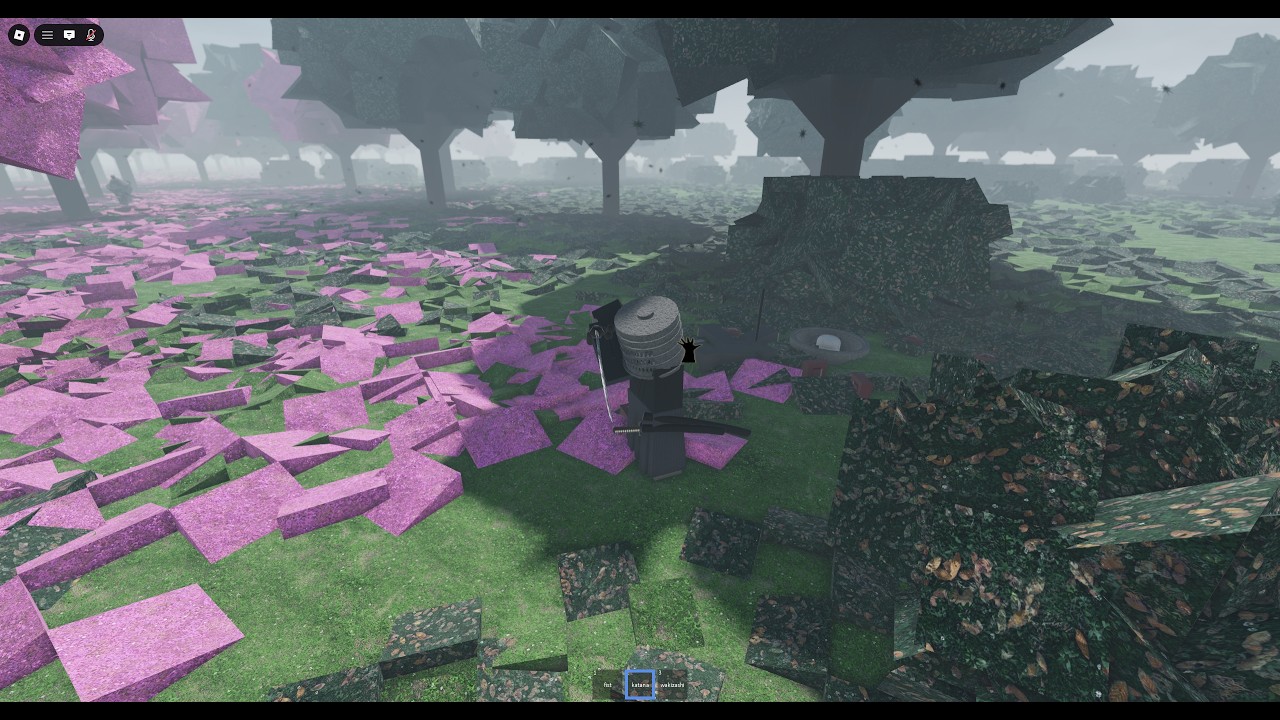
Captainwoodlegs is credited with the movement system as well as melee. That means walking is not a default Roblox afterthought. G displace, camera framing, and the uneven grass all belong to the same sentence. This page is footwork. Pair it with how to fight so the step has a cut on the end.
Default motion
WASD and mouse camera. Shift sprint if your client still uses the Roblox default. There is no documented double jump, grappler, or dash meter. If a script offers those, it is not the melee system.
The ground is noisy: stacked rocks, lantern bases, timber, and pink tree shadows. You will clip visually before you clip physically. Slow down near torii. Cinematic mode makes clippy motion look worse, not better.
G — displace
Displace is a committed step. Use it to:
- Leave the line of a directional cut you already read.
- Enter after you tap R for a new stance.
- Clear a lantern corner without turning your back as a long sprint.
Do not use it as a panic teleport across the whole field. You will land in someone else’s musket lane. Loadouts already warned you that formations own space.
If G does nothing, chat may have focus, or you may be in a pray animation on B. Finish or cancel the social verb first. Controls lists the conflicts.
Camera as movement
This game wants you to see silhouettes. Hats, kabuto, and kimonos are readable at range if your camera is not in a hip. Keep the horizon. When you film, freecam is for thumbnails, not for dodging. When you duel, a stable camera is part of honor because the other player can read you too.
Terrain notes from clips
- Lantern plazas. Good for 1v1. Bad for muskets.
- Cherry-colored fields. Where infantry lines like to photograph themselves. Wide, dangerous if a volley exists that day.
- Torii. Framing device and choke. Displace through, do not camp inside unless you like being filmed.
- Stacked rocks. Vertical clutter. Do not jump-spam expecting a parkour route; this is not an obby.
Platform limits
Full mobile and console support is not ready. Thumbsticks will fight directional cuts and G at the same time. Keyboard attachments are the intended path. If your character slides, that may be input, not a movement bug. Rejoin once, then check patch notes before you assume the locomotion system broke.
Drills
- Walk a rectangle around a lantern without sprinting. Camera on the opponent-shaped void.
- G, stop, cut. If the cut starts during G, you are mashing.
- Sheath on X, walk, draw, G. Social to steel without sprinting like a simulator.
- Repeat in plates after the armor grind. Silhouette change should not change the drill.
Related
Movement is how you keep the fight looking like a fight instead of a pile. Step, then cut.
One more habit that looks like movement but is not: sprinting in cinematic mode to “get a tracking shot.” You will clip a lantern, eat a directional cut, and blame G. Turn kurosawa off, walk, then film later. Footwork is a duel tool first. The camera is a souvenir.
Frequently Asked Questions
Quick answers to the most common questions.
What does G do?
Displace: a short committed step for angle, not a map-wide dash.
Is there a double jump?
Not documented. If you have one, a script or a glitch is doing it, not the advertised movement system.
Why do I slide on mobile?
The layout is unfinished. Use a keyboard. Thumbstick plus directional cuts is the unsupported case.
Should I sprint everywhere?
No. The map is built for framing. Sprint into a cut, not across the whole lantern field.